
SQL Server TempDB rebuild automation for standalone instances and Always On Availability Groups
The tempdb database supports temporary objects, internal worktables, query spills, and version-store activity. SQL Server creates it again when the Database Engine starts. However, recreating its contents does not mean that the configured number of files, initial sizes, logical names, or physical paths automatically return to a common baseline.
TempDB capacity requirements can change sharply during legitimate production activity. Large index maintenance, reporting queries that spill to disk, and workloads that create temporary objects or row versions may require additional TempDB space. SQL Server can grow its files to satisfy demand, but completion of the workload does not automatically shrink them. This behavior is normal and, by itself, is not evidence of misconfiguration. In Always On Availability Groups, TempDB remains local to each SQL Server instance and is not synchronized between replicas; healthy database synchronization therefore does not prove that each replica has the same TempDB layout.
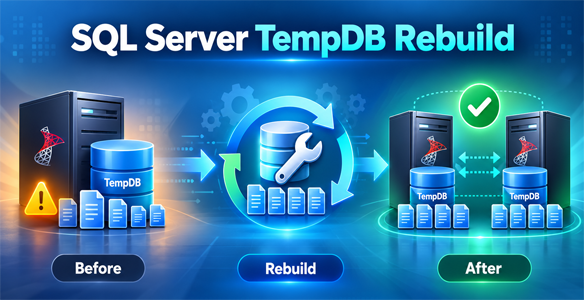
SQLServer-TempDB-Rebuild.ps1 is a dedicated PowerShell maintenance utility that addresses structural TempDB configuration drift. It performs controlled maintenance to remove existing secondary files, reconfigure the primary MDF and LDF, and build a new set of equally sized data files. It supports two execution models: HA (two-node Always On AG) and SA (standalone).
A realistic production scenario
Consider a SQL Server instance configured with four equally sized TempDB data files. During a scheduled index-maintenance window, a large operation requires substantial additional workspace. SQL Server grows TempDB files as necessary. After the operation completes, the workload releases temporary objects, but the physical files do not automatically contract. On a different Availability Group replica, the same operation may never have run, so TempDB growth and current file sizes may differ between the two instances.
Autogrowth alone does not justify a full rebuild. A normal restart recreates TempDB and generally returns files to their configured initial sizes rather than retaining every transient autogrowth allocation. The real reason for corrective reconstruction arises when the persisted configuration itself no longer matches the desired design: for example, file counts that no longer match the available CPUs or workload, oversized configured initial sizes, unequal files, inconsistent growth settings, or different names and paths between replicas.
Another practical scenario is a change in virtual CPU allocation following infrastructure right-sizing. An instance may retain secondary TempDB files created for an earlier CPU configuration. SQL Server does not automatically remove those files simply because CPU allocation changes. When a defined standard requires a different count and uniform file layout, controlled reconstruction can be more reliable than a sequence of ad hoc file changes.
The goal is configuration consistency and operational predictability—not routine shrinking after every heavy query. Rebuilds should be reserved for cases where inventory confirms structural drift and the benefit justifies planned maintenance.
Why a controlled rebuild instead of another resize?
- A restart is not a configuration reset: SQL Server recreates TempDB data at startup, but existing file metadata and initial-size settings remain relevant.
- A shrink does not normalize structure: reducing the size of one file cannot by itself correct extra logical files, inconsistent physical filenames, or different data-file counts.
- Running REMOVE FILE against active TempDB can fail: SQL Server may report that a file is not empty. The utility performs secondary-file cleanup during a restricted startup and stops on unsuccessful operations.
- Existing files may exceed the desired target: the minimum-configuration stage is used for the base
tempdevandtemplogfiles, while secondary files are recreated separately. - HA synchronization does not synchronize TempDB: each replica requires its own verified local configuration.
- Maintenance must be controlled: Engine restarts, single-user access, disk allocation and role transitions need explicit logging and failure handling.
Main capabilities
- Support for
HAandSAexecution, with explicit preview and maintenance controls. - Automatic discovery of the local AG name, current PRIMARY and SECONDARY, CPU count, current
tempdevpath, drive, LOG initial size and FILEGROWTH values. - Volume-capacity-based initial sizing, with equal data-file sizes and preflight free-space validation.
- CPU-based data-file count capped at eight in the supplied script, with an equal initial size for every data file.
- Dynamic inventory of TempDB logical names and physical paths from
sys.master_files. - Controlled
DBCC SHRINKFILE (..., EMPTYFILE)followed byALTER DATABASE tempdb REMOVE FILEfor secondary data files. - Minimum-configuration startup for resetting the primary MDF and LOG sizes and growth settings, followed by normal startup.
- Creation of the required secondary files with deterministic names and paths; refusal to overwrite existing physical files or reuse existing logical names.
- Post-restart checks of file count, size and expected names; in HA, a cross-node comparison also checks file types, logical names, growth settings and physical paths.
- Timestamped phase, restart, success and error messages, plus attempts to restore the normal Engine and previous Agent state after an error.
Consistent sizing and storage considerations
The utility discovers the TempDB storage volume and derives a consistent initial data-file layout. It accounts for the LOG allocation, distributes the remaining data-file budget evenly, and checks physical capacity before allocating or rebuilding files. This addresses uneven file sizing and configuration drift without treating the current amount of free disk space as a reliable description of the required file layout.
Initial file sizes do not impose an automatic maximum on future TempDB growth. FILEGROWTH, available space and workload-driven consumption must be monitored independently; the rebuild is a configuration-management operation rather than a performance or capacity guarantee.
Rebuild workflow — common to HA and SA
- Preflight: check SQLCMD availability, Engine service state, instance topology, existing TempDB files and physical paths, disk size, remaining capacity and calculated targets.
- Restricted cleanup: stop Agent when running; stop the Engine; restart in SQLCMD-restricted single-user mode; EMPTYFILE and REMOVE FILE for each secondary data file, validating that only
tempdevandtemplogremain in metadata. - Base-file reset: restart in minimum-configuration mode and use
ALTER DATABASE tempdb MODIFY FILEto set the target initial sizes and growth parameters for the base MDF/LDF. - Reconstruction: return to normal mode; create exactly the CPU-derived number of secondary data files with consistent
tempdb_2throughtempdb_Nnames, paths and sizes. - Final restart and validation: start normally, inspect TempDB metadata and verify expected sizes and file count; restore SQL Agent if it was running.
HA execution: why failover and failback are used
A planned AG failover is not a technical prerequisite for rebuilding TempDB. It is an availability-management choice. Restarting the current PRIMARY would make the primary service unavailable; instead, this tool rebuilds one replica while that replica is SECONDARY. The script discovers the original PRIMARY so it can restore the original roles at the end.
- Read the AG topology from the current PRIMARY and verify that exactly two configured replicas are present.
- Require synchronous commit, connected and healthy replicas, equal synchronized database counts, and
required_synchronized_secondaries_to_commit = 0for this specific workflow. - Rebuild the current SECONDARY and wait for the AG to be fully synchronized again.
- Perform a planned manual failover to the rebuilt node, then wait for synchronization.
- Rebuild the former PRIMARY, now SECONDARY; compare TempDB file definitions on both nodes.
- Perform a planned failback to the original PRIMARY and verify synchronization and identical TempDB metadata once more.
The tool uses readiness gates rather than forced data-loss failover. If maintenance fails after a role change, it attempts failback only when synchronization checks confirm readiness; otherwise it leaves the current PRIMARY online and reports the problem. Planned failover can still cause a brief client interruption, so a maintenance window and application-aware coordination remain necessary.
Standalone execution
In SA mode, the same reset worker operates locally against the configured SQL Server instance. There is no AG discovery, failover, or cross-node comparison. The process still restarts the Database Engine and therefore requires planned downtime. The script blocks SA mode if it detects that the instance participates in an AG.
Configuration and execution
Select HA or SA mode and review the execution controls before maintenance. Run the HA utility on the current PRIMARY node. PowerShell Remoting carries out the reset locally on each participating server. SA mode must be launched locally on its configured node.
Requirements and safeguards
- Windows PowerShell with working PowerShell Remoting for HA, and
sqlcmd.exeavailable locally and on the relevant remote hosts. - Appropriate Windows service-control privileges and SQL Server permissions for file alteration, metadata inspection and AG role transitions.
- Supported local TempDB volume paths; identical drive capacities and primary TempDB path in the two-node HA workflow.
- Approved maintenance window, tested service recovery, and monitoring of SQL Server ERRORLOG and AG health.
- FCI instances are rejected by the reset worker. The HA workflow specifically expects two synchronized replicas and is not a generic multi-replica or asynchronous-commit orchestrator.
- The script checks for physical-file conflicts and insufficient disk space; it does not blindly remove physical files.
- Where file operations or synchronization checks fail, the utility reports the failure rather than treating a partial rebuild as success.
What successful validation proves — and what it does not
A successful run confirms the TempDB file configuration in SQL Server metadata, including count and configured sizes; HA comparison additionally checks names, types, growth settings and paths across the two nodes. It does not prove performance improvements, that no future TempDB autogrowth will occur, or that the selected initial allocation is appropriate for every workload. The current worker also relies on SQL metadata rather than independently measuring every physical file after the final restart.
Microsoft technical references
- Shrink the tempdb database — supported approaches and minimum-configuration considerations.
- tempdb database — purpose, recreation on startup and sizing considerations.
- Perform a planned manual failover — prerequisites for synchronized replicas.
Utility: SQLServer-TempDB-Rebuild.ps1 | Execution modes: HA / SA | Scope: controlled TempDB reconstruction and verification.
